The demo is a made-up tower job that resets every morning. Foreman PIN: 2468.
Free while it is new.
Not on the list = not on the order
How it works
Scan. Tap. Send.
1
The crew scans a code on the lockup door.
No app to install and no password. They tap their name.
2
They pick what they need.
L16s, 1104s, marrettes, BX. Listed the way it is said on site.
3
The foreman sees one list.
The same item from five people is one line. One order goes in, and everybody sees when it lands.
For the crew
Tap your name, pick your items, send. That is the whole thing.
Told to grab a 3104 and not sure what it is? Search the number and tap the name. You see the foreman's photo if there is one, and a picture search if there is not.
Mark anything you are already out of and it goes to the top of the foreman's list.
Watch each request go from Asked to On order to Ready, with the delivery date.
The page tells you when the next order goes in and when it should land.
Words too small to read? Turn on Bigger text and it stays on for your phone.
For the foreman
One board. The same box from ten people is one line, with who asked and where it is going.
One order sheet at the cut-off. It rounds up to full packs, splits by supplier, and adds up an estimate if you type your prices in. Copy it, print it, or send it to the office as a spreadsheet.
Mark it ordered with a delivery date, and the crew sees when it lands.
Tick off what arrived. What did not come stays on the list as back-ordered.
A pick-up list by person, so material gets to whoever asked for it.
Your own item list. Hide what you never stock, add what you do, and add your own photos, one tap each, so a first-year knows what to grab.
The part number off the carton. Put the make and part number on an item, and it prints on the order sheet so the supplier gets the exact part. The crew can search by it too.
Past orders, month by month, with the estimate. One button sends the month to the office as a spreadsheet.
13 categories. About 300 items.
A starter list in trade words. Every foreman trims it to what the job stocks.
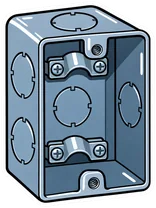
Boxes
Connectors
Pipe & tube
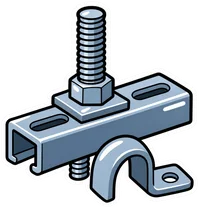
Straps, strut & rod
Wire & cable
Plugs & switches
Plates & covers
Lights
Screws & anchors
Tape & marrettes
Panel & grounding
Blades & bits
Safety & site
Not on the list? Ask anyway
Works in the parkade.
After one visit with signal, the page opens with none. A request sent from P3 waits on the phone and goes out by itself when the phone is back in range.
What it does not do
It does not track anyone. Stock never asks for your location.
It does not send texts by itself yet. The foreman's board chimes while it is open.
It does not know your supplier's prices. The estimate uses the prices you type in.
It does not place the order for you. You still call, text or email it in.
Questions
Does the crew need to install anything?
No. It is a web page. Scan the QR poster or open the link. Anyone who wants it on their home screen can add it from the page.
Does the crew need an account?
No. Anyone with the site link picks their name and asks. Only the foreman side has a PIN.
What if the foreman forgets the PIN?
A new site comes with a recovery code, shown once. With that code the foreman sets a new PIN. Keep it somewhere safe: without the code, and with no phone still signed in, the site has to be set up again.
What phones does it work on?
It runs in the phone's browser, so there is nothing to download. It is new, so if something looks off on your phone, email us and we will fix it.
What does it cost?
Nothing right now. It is new and we want crews using it.
Is this the Sparky app?
It is the first piece of it. The Sparky app, with pay tracking and code tools, is still being built, and Stock will be a tab inside it. The web version stays for crews who never install anything.
What do you keep?
The names on the crew list, what gets asked for, and the foreman's PIN and recovery code in scrambled form. Also what the foreman adds to the item list: part numbers, pack sizes, prices and photos of parts. No location and no contacts. The foreman can delete the whole site from its settings.